Quick Start
Sign up and get your first cashback in under 5 minutes.
This guide walks you through signing up for DexFarm, getting your unique Axiom referral link, and receiving your first cashback. The whole flow takes about 5 minutes.
Step 1: Sign Up
Visit dexfarm.io/join and sign in with your Google account. We use Google OAuth only — no email/password forms — to keep bots out and onboarding fast.
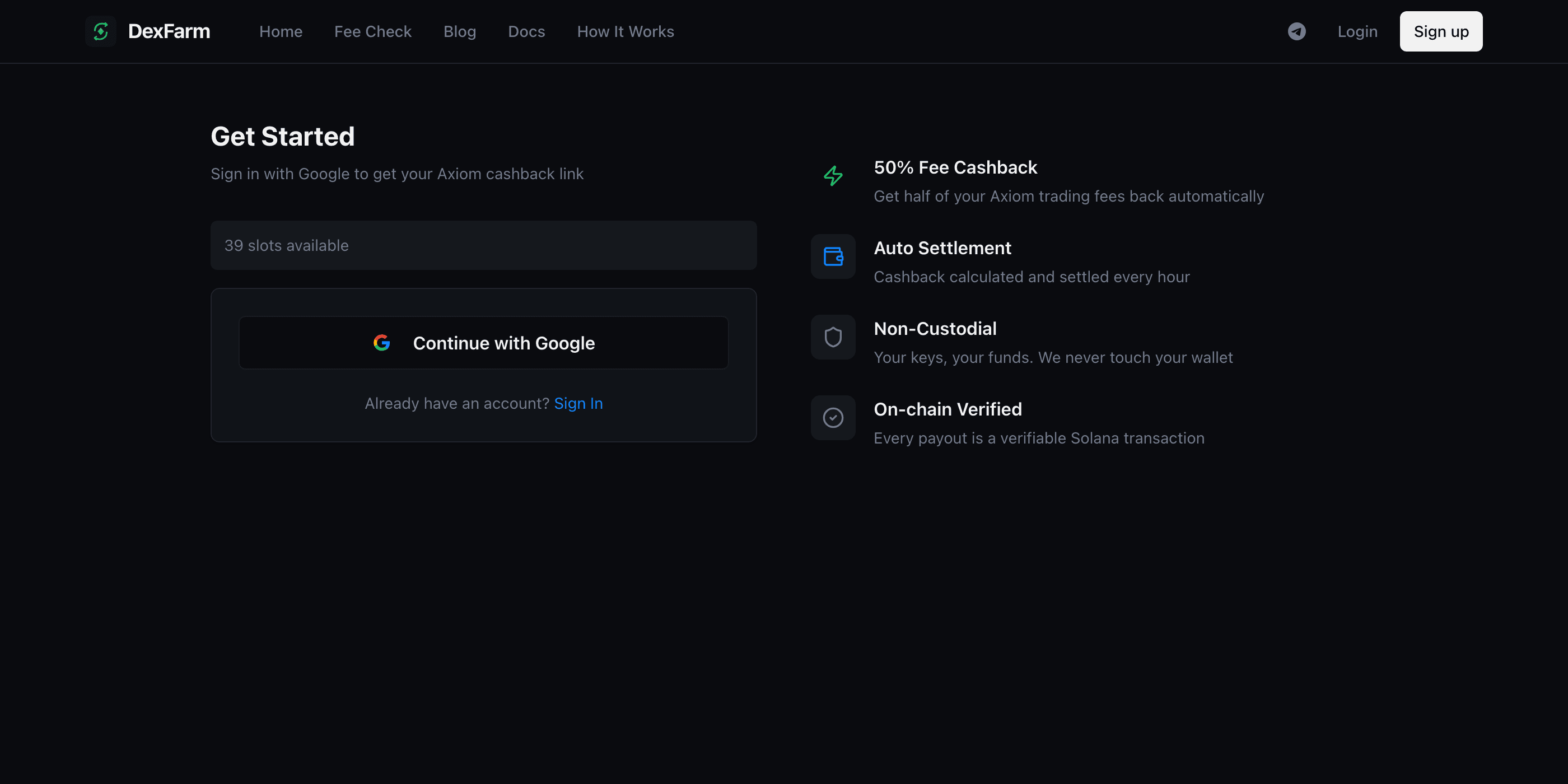
That's it — no wallet connection, no signature, no KYC. Once you're signed in, you'll land on your dashboard.
Step 2: Get Your Axiom Referral Link
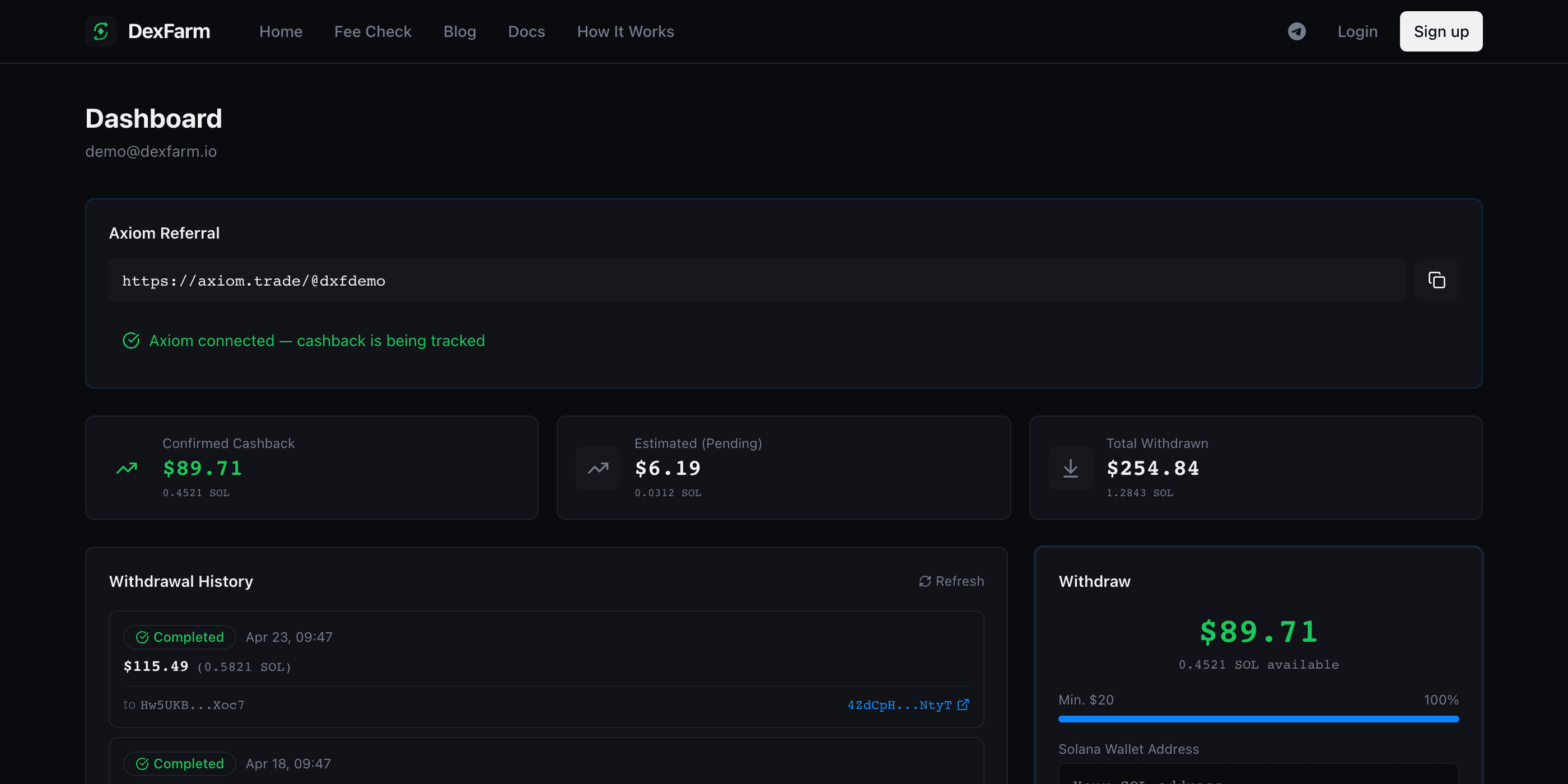
DexFarm automatically assigns you a dedicated Axiom referral wallet. Your dashboard will show a unique link that looks like:
https://axiom.trade/@your-code
This link is yours. Anytime you trade on Axiom, you'll use this link instead of going to axiom.trade directly. Behind the scenes, the 30% referral commission flows to us — and we send half of it back to your wallet.
Step 3: Verify Your Axiom Account
Click your DexFarm link → it opens Axiom. You can either:
- Sign up new: Create a fresh Axiom account through your DexFarm link. The referral attaches automatically.
- Use existing Axiom: If you already have an Axiom account, you can ask Axiom support to attach your DexFarm referral. (We can help — DM our Telegram.)
Note: We need to verify the link between your DexFarm account and your Axiom account. This usually happens automatically within a few minutes after your first trade.
Step 4: Trade Normally
Use Axiom exactly as you would normally — buy memecoins, set limit orders, run auto-strategies. Nothing changes about your trading flow.
For every trade you make, Axiom takes 0.95% as a fee. 30% of that fee (= 0.285% of your trade) flows to DexFarm as referral commission. We then split it 50/50 with you.
Effective fee with cashback: 0.808% (about 15% lower than the sticker price).
Step 5: Watch Your Cashback Accumulate
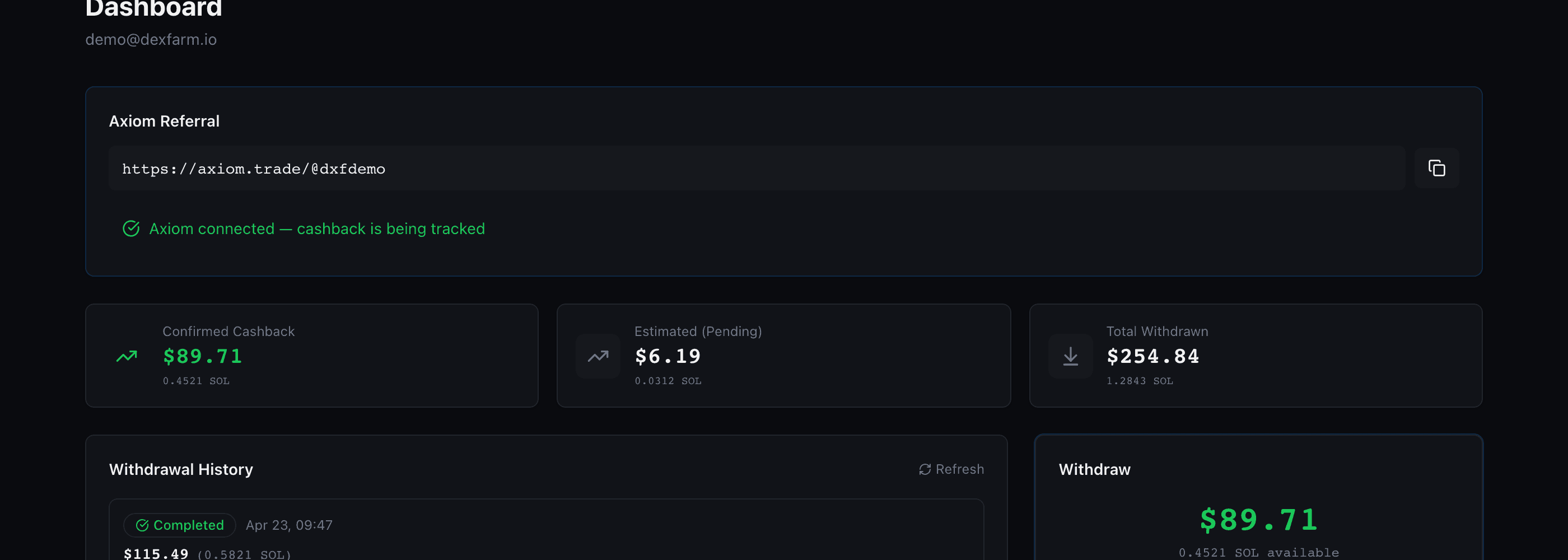
Within 1 hour of your first trade, you'll see your confirmed cashback balance grow on your dashboard. Cashback settles every hour automatically — there's no claim button or manual step.
Step 6: Withdraw to Your Wallet
Once your confirmed cashback reaches the minimum withdrawal amount (currently $20 worth of SOL), you can withdraw to any Solana wallet.
- Click Withdraw on your dashboard
- Enter your destination wallet address
- Confirm the amount
- Wait 1-3 minutes for the transaction to land on Solana
Every withdrawal is a real on-chain transaction. You can verify the payout on Solscan using the transaction hash shown on your withdrawal history.
What's Next?
That's the entire flow. Some related topics:
- How It Works — The mechanics of fee cashback in detail
- Cashback Calculation — How your cashback amount is computed
- Withdrawals — Withdrawal limits, fees, and timing
- Security & Custody — Why DexFarm is non-custodial and what that means
Questions? Hit us up on Telegram — we usually respond within an hour.